
Blog
How can you edit and sign a PDF for free?
By Gabriel Kadiwa, Founder & Full-Stack Developer
Use a browser-based PDF editor that works on the page itself. Ours lets you change existing text, add text, sign, fill in forms and highlight, with no account, no watermark and no upload.
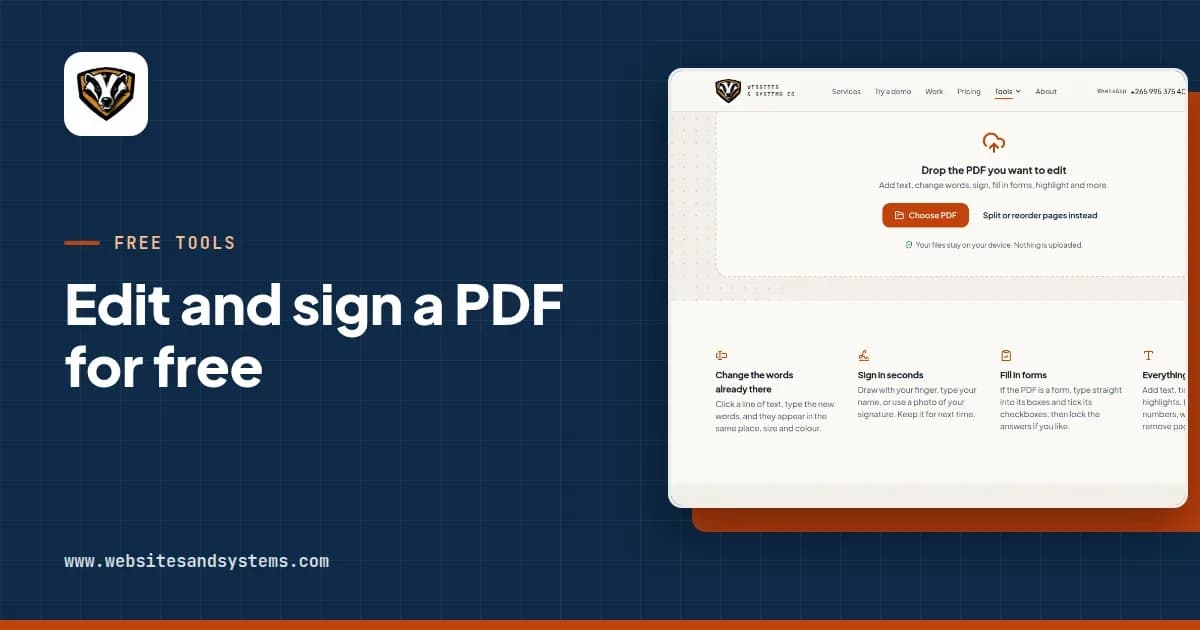
Open the PDF in a browser-based editor, make your changes on the page, and download the edited copy. Our free PDF editor lets you change existing text, add your own, sign, fill in forms, highlight and white-out, with no account, no watermark, and no upload: the file stays on your device the whole time.
The everyday PDF jobs
Most people don't need to redesign a PDF. They need to:
- sign a tenancy agreement, offer letter or school form
- fill in an application form that came as a PDF
- correct a date, a name or an amount
- tick some boxes and add today's date
- highlight a clause before sending it back
Each one used to mean printing, writing, scanning and emailing. Here's how to do each in the editor.
Signing a PDF
Click Sign. You have three ways to make your signature:
- Draw it with your finger, a stylus or the mouse.
- Type your name and pick a handwriting style.
- Photo: sign a white sheet of paper, take a picture, and choose it. The paper is removed, so only the ink is left.
Click Place signature. It appears in the middle of the page you're looking at: drag it into place and resize it from the corner. Tick Keep it on this device and next time it's one click.
A note on what this is: it puts a picture of your signature on the document. That's accepted for most everyday letters, forms and agreements. Some documents need a certified digital signature or a signature in ink. If you're not sure, ask whoever sent it.
Filling in a PDF form
If the PDF has form boxes, the editor finds them and you type straight into them on the page, tick their checkboxes and pick from their drop-downs. Tick Lock the answers before downloading if you don't want them changed later.
If the form is a scan with no real boxes, use Add text to type on the lines, and Tick or Cross for the checkboxes.
Changing words that are already there
Choose Edit text and click the words you want to change. They're covered in the page's own background colour, and the same words appear in a text box, in a matching size and colour, ready to retype. Press anywhere else on the page when you're done.
This works best on ordinary text. On heavily designed pages, it can be cleaner to use White-out over the old words and Add text for the new ones.
White-out isn't redaction
White-out covers things on the page, which is fine for a clean printout or a corrected copy. But the original words are still inside the file, and someone determined can get them back. Don't use it to hide ID numbers, bank details or passwords. For that you need proper redaction, which removes the content itself.
Everything else
- Add text anywhere, in three fonts, any size and colour.
- Picture: add a logo or a stamp.
- Draw, Highlight and Box to mark things up.
- Remove page above any page you don't want.
- Page numbers: add "1, 2, 3" or "Page 1 of 9" at the bottom.
- Undo (or Ctrl+Z) for anything you didn't mean.
Click Download PDF and you get a copy with "(edited)" in its name. The original file isn't changed.
Why it doesn't upload anything
Most free PDF editors send your file to their servers. For a signed tenancy agreement or a medical form, that's personal information you've handed to a stranger. This editor runs in your browser: the PDF is opened, changed and saved on your device.
Related tools
- Need to reorder, rotate or split pages? Use Split PDF.
- Joining several PDFs? Use Merge PDF.
- Need to rewrite the whole thing? Convert the PDF to Word.
Sending the same forms every week?
If your business sends out the same agreement or form for every customer, a small system can fill it in, collect the signature and file the signed copy for you. That's a business management system, and it's usually smaller than people expect.
Book a free 30-minute discovery call and show us the form.